Answers to all your Questions.
Browse through numerous categories to find what you are looking for, this place has it all
Android phone battery draining fast – How to fix
Published on April 16, 2026 by Fixidia Tech
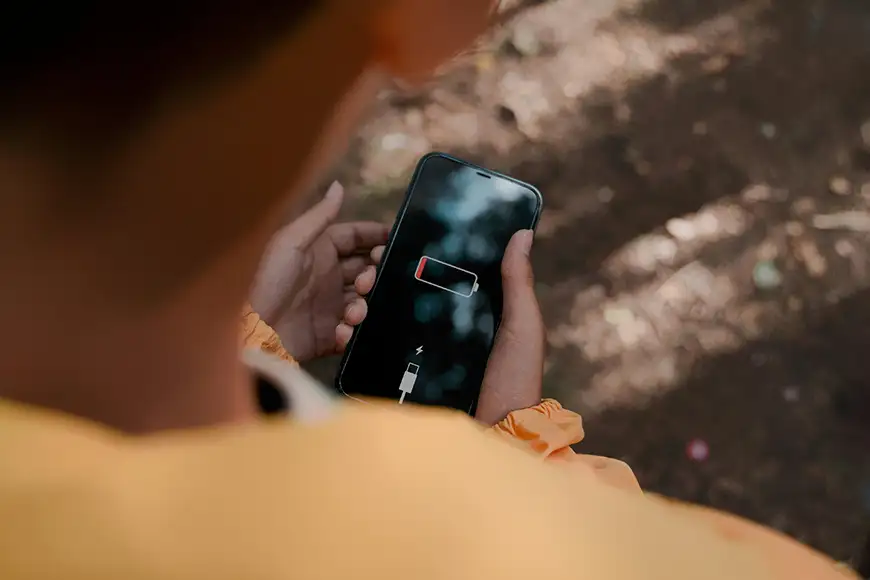
You are here because you have a problem, your Android phone battery draining fast has become a daily problem. Before you start trying different things to fix the issue, always try to shortlist the possible causes of whatever problem you have at hand. And then possibly narrow it down to the one that fits your situation , this will always help you find the best solution if there is one for your case. In this step by step guide we will try to find the causes and then fix your phone, or at least improve it to some extent. Your phone battery that once lasted at least 2 days, suddenly starts losing power within just a few hours, even with normal use, so obviously it requires attention.
You can manage this issue by making a few targeted changes, you can reduce battery usage and get much better performance throughout the day. There will be a few minor compromises if its battery health related issue but you can still manage to improve your experience.
Common causes of Android phone battery draining fast
In most cases, fast battery drain is linked to one or more of the following problems:
- Apps running constantly in the background
- High screen brightness or long screen timeout
- Location, bluetooth, or mobile data staying active all the time
- Outdated software or buggy apps
- Battery aging over time
Once you know what may be causing the issue, it becomes much easier to fix it properly.
Step 1: Check which apps are using the most battery
The first thing to do is identify whether a specific app is consuming too much power. On most android devices, you can open battery settings and view battery usage by app. This will show which apps are using the highest percentage of power.
If you notice that social media apps, streaming apps, navigation tools, or games are using an unusually high amount of battery, that is often the main cause. Some apps continue syncing, refreshing, or tracking location even when you are not actively using them.
Once you identify those apps, restrict their background activity or uninstall apps you do not need. This single step can make a major difference when dealing with Android phone battery draining fast problems.
Step 2: Lower screen and display power usage
The display is one of the biggest battery consumers on any smartphone. If your brightness is set too high or your screen stays on for too long, your battery will obviously drain much faster.
Reduce screen brightness manually or enable adaptive brightness so the phone adjusts it automatically. Also shorten the screen timeout so the display turns off sooner when not in use. If your phone has features like always-on display, high refresh rate, or live wallpapers, consider disabling them if battery life is your priority.
This is an important thing to check as the display settings drain the battery in stealth mode throughout the day without you realizing it.
Step 3: Turn off battery-hungry features when not needed
Many android phones keep features active all the time, even when you are not using them. Services like gps, bluetooth, mobile data, nearby device scanning and specially hotspot can all consume extra battery in the background.
Turn off location when you do not need maps or ride-sharing apps. Disable bluetooth if no earbuds or smartwatch are connected. If you are in an area with poor signal, your phone may work harder to maintain a connection, which also increases battery drain.
Using battery saver mode can also help. Most modern android phones include a power-saving feature that reduces background activity and limits unnecessary system tasks. This is a simple but effective way to control the Android phone battery draining fast issue.
Step 4: Update your phone and problem apps
Battery drain is not always caused by your habits. Sometimes the issue begins after a software bug or a poorly optimized app update. If your phone started losing power quickly after installing a new app or updating the system, software may be the real reason and this can lead to boot problems as well, your phone may even get stuck on boot screen.
Check for pending android updates and install them, since updates often include battery performance improvements and bug fixes. You should also update your apps through the play store. If a particular app continues causing problems, try uninstalling and reinstalling it.
Keeping your software current helps your phone run more efficiently and reduces the chance of background processes draining battery unnecessarily.
Step 5: Check battery health and charging habits
If your phone is older, the problem may be the battery itself rather than any setting. Smartphone batteries naturally wear down over time. After many charge cycles, they hold less power and drain faster than they used to.
If your phone heats up frequently, shuts down at random percentages, or loses battery very quickly even after trying all the fixes, the battery may be aging. In that case, replacing the battery may be the best long-term solution.
Improving charging habits can also help a great deal, avoid using poor-quality chargers, do not keep your phone on a charger overnight at all, this sometimes overcharges the battery resulting in faster degradation. Also try not to let the phone overheat while charging, heat is one of the biggest enemies of battery health.
When to consider professional help if your Android phone battery draining fast is still not fixed
If the Android phone battery draining fast issue continues after making these changes, the problem could be deeper. A damaged battery, charging circuit issue, or software corruption may be affecting performance. In such cases, the phone might not even turn on after a full battery drain since there are instances of corrupt software or updates, a technician or authorized service center can test the device properly. This is especially important if the battery is swelling, the phone becomes unusually hot, or the percentage drops very suddenly.