Answers to all your Questions.
Browse through numerous categories to find what you are looking for, this place has it all
Android phone not turning on – Quick guide to fix
Published on April 14, 2026 by Fixidia Tech
You have an Android phone not turning on, the screen stays black or the phone shows no response at all, this can be a pain if you don’t have technical experience but here you are, most causes are fixable without needing professional repair. If you follow this quick guide, you may learn through practical steps to fix an Android phone not turning on by identifying the root cause.
Common reasons why your phone won’t turn on
Before trying fixes, it’s helpful to understand what might be causing the issue:
- Completely drained battery
- Faulty charging cable or adapter
- Software crash or system freeze
- Physical or water damage
- Corrupted firmware or failed update
1. Check the charging setup
Sometimes the problem is as simple as a dead battery.
- Plug your phone into a charger
- Wait at least 15–20 minutes
- Try a different cable, adapter, or power outlet, If possible, use the original charger from brands like Samsung or Xiaomi to ensure proper power delivery
- Use a low power charger or even just attach your phone to your computer via a USB cable, sometimes when a mobile phone battery is completely drained, it can not take charge from your high power charger, it requires slow juice from a very low level power source, once the battery gets a bit of juice, then you can charge it from a faster charger. Weak battery can also be a source for your issue.
2. Perform a force restart
If you believe battery is not an issue, that means your phone is frozen, a force restart can bring it back to life
- Press and hold the Power button + Volume Down for 10–20 seconds
- Release when the logo appears
This works even when the screen is completely unresponsive.
3. Check for screen issues
Sometimes the phone is on, but the screen isn’t working.
- Look for vibrations or notification sounds
- Try calling your phone from another device
If any of the above happens, it can be a case of faulty display.
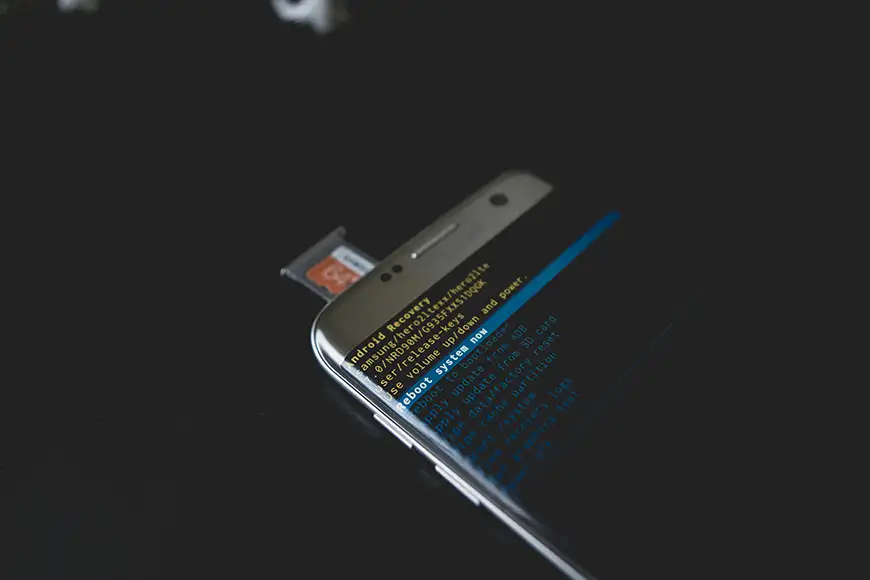
4. Boot into recovery mode
If the system is corrupted, recovery mode can help.
- Press and hold Power + Volume Up
- if you see the options on the screen, this is good news, select Reboot system now
This can fix minor system glitches causing the issue.
5. Check for physical or water damage
Inspect your device carefully:
- Look for cracks or dents
- Check charging port for debris
- Watch for signs of moisture
If your phone has been exposed to water, avoid charging it immediately and remove the battery if removable
6. Connect to a Computer
Plug your phone into a PC and see if it appears in your file explorer:
- If detected, the device may still be functioning
- Try rebooting from the computer
This can help confirm whether the issue is hardware or software-related.
7. Factory reset (last resort)
If nothing works, a factory reset may fix deep software issues.
- Boot into recovery mode
- Select Wipe data/factory reset
IMPORTANT: This will erase all your data, so use it only as a last option.
When to seek professional help
If still your Android phone is not turning on after trying all the steps:
- Battery may need replacement
- Internal components could be damaged
- Professional hardware/sofware repair might be required, sometimes it gets stuck on boot screen which is a sign of a software bug
Visit an authorized service center for your device brand.
Tips to prevent this issue from happening again
- Avoid letting your battery drain completely
- Use original or certified chargers
- Keep your phone updated
- Avoid installing unknown apps
- Protect your device from water and physical damage
Conclusion
The Android phone not turning on doesn’t always mean your device is permanently damaged. In many cases, simple steps like charging properly, force restarting, or clearing software glitches can fix the problem quickly. One of the above points or a combination can get your phone back up and running without hassle.