Answers to all your Questions.
Browse through numerous categories to find what you are looking for, this place has it all
WiFi not working on HP laptop – Quick fix
Published on April 15, 2026 by Fixidia Tech
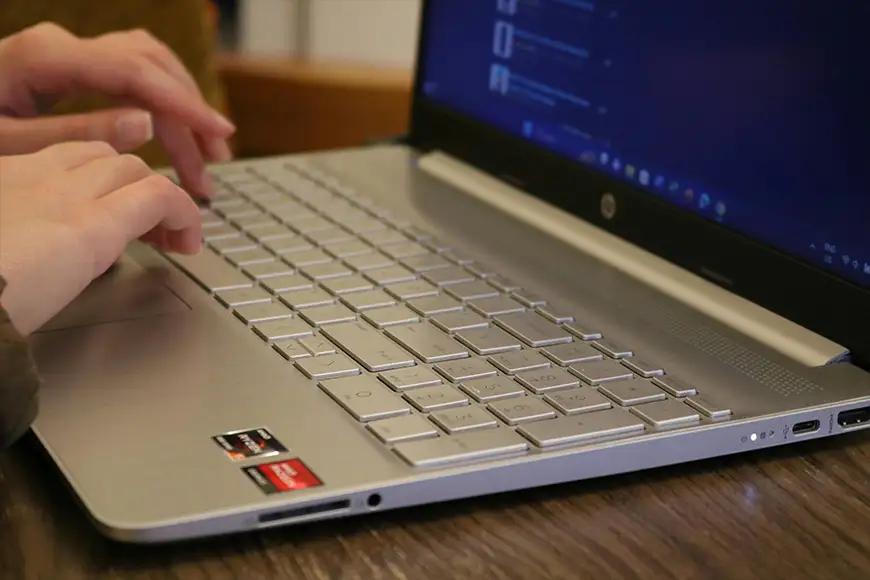
Experiencing WiFi not working on HP laptop is a little different than other laptops, your laptop won’t connect to a network, keeps disconnecting, or shows no WiFi option at all. Instead of trying generic fixes, focus specifically on HP specific problems, including hardware toggles and Windows-level troubleshooting to help you get back online quickly.
If you are reading this, you might have one or more of the following scenarios, let’s see what fixes your specific issue.
- WiFi adapter disabled or turned off
- HP wireless key or function key issue
- Corrupted or outdated drivers
- Router or network conflict
- Power management settings disabling WiFi
- Windows network configuration errors
Let’s get to work now!
1. Check HP wireless button or function key
Many HP laptops have a dedicated wireless key.
- Look for a key with a WiFi icon, in some newer models there are two buttons at the top right of the key board, one for wifi and the other for sound. Or Fn + F12(or just F12 on some models)
- Check if the WiFi light turns white (enabled) instead of orange (disabled)
This is a common HP-specific cause that many users overlook.
2. Toggle airplane mode
Sometimes Airplane Mode disables all wireless connections.
- Go to Settings > Network & Internet
- Turn off Airplane Mode
- Re-enable WiFi manually
3. Restart your laptop and router
Instead of a simple restart, do a full power refresh:
- Turn off your laptop
- Unplug your wifi router for 60 seconds
- Restart both devices
This clears temporary network conflicts.
4. Enable wiFi adapter manually
Your wireless adapter might be disabled.
- Press Win + R, type cpl
- Find your WiFi adapter
- Right-click and select Enable
If it’s already enabled, disable and enable it again, this worked for me once on a touchpad issue on HP Probook, the touchpad was enabled but not working, I disabled and enabled it and it started working.
5. Run network troubleshooter
Windows can automatically detect issues.
- Go to Settings > System > Troubleshoot
- Select Other troubleshooters
- Run the Network Adapter troubleshooter
This can fix common problems in Windows.
6. Update or reinstall wifi drivers
Driver issues are a major cause of WiFi not working on HP laptop.
- Open Device Manager
- Expand Network adapters
- Right-click your WiFi device and select Update driver
If that doesn’t work:
- Uninstall the driver
- Restart your laptop
- Windows will reinstall it automatically
For best results, download drivers from HP’s official website.
7. Adjust power management settings
Windows may turn off WiFi to save power. Yes! as strange as it may seem, windows does do it and can do it in your case.
- Open Device Manager
- Right-click your WiFi adapter → Properties
- Go to Power Management
- Uncheck Allow the computer to turn off this device
This prevents random disconnections.
8. Reset Network Settings
If the issue persists, reset your network completely, you can also try this on any other laptop if you are having a wifi issue.
- Go to Settings > Network & Internet > Advanced network settings
- Click Network reset
- Restart your laptop
This removes all saved networks and restores default settings, you may need to login to your wifi connection again.
9. Check BIOS wireless settings (Advanced)
Some HP laptops allow wireless control from BIOS.
- Restart your laptop and press Esc or F10
- Enter BIOS settings
- Ensure wireless or WLAN is enabled
This step is useful if WiFi is missing entirely from Windows.
10. Test with external wifi adapter
If none of the above works:
- Use a USB WiFi adapter
- Check if it connects successfully
If it does, your onboard wifi card may be faulty.
What makes HP wifi issues different?
Unlike other brands, HP laptops often include:
- Hardware WiFi toggle keys with LED indicators
- Aggressive power-saving settings
- BIOS-level wireless controls
These unique features mean the WiFi not working on HP laptop issue sometimes requires hardware-level checks, not just software fixes.
Tips to Prevent Future WiFi Issues
- Keep drivers updated from HP support
- Avoid turning off WiFi using hardware keys accidentally
- Regularly restart your router
- Keep Windows updated
- Avoid installing unknown network-related software
The WiFi not working on HP laptop issue can originate from simple settings or deeper hardware problems. On other laptops there could be other reasons for wifi problems, but here, checking HP-specific features like the wireless key and BIOS, you can quickly diagnose and fix the issue. With the right approach, most WiFi problems can be resolved in minutes without needing professional repair.